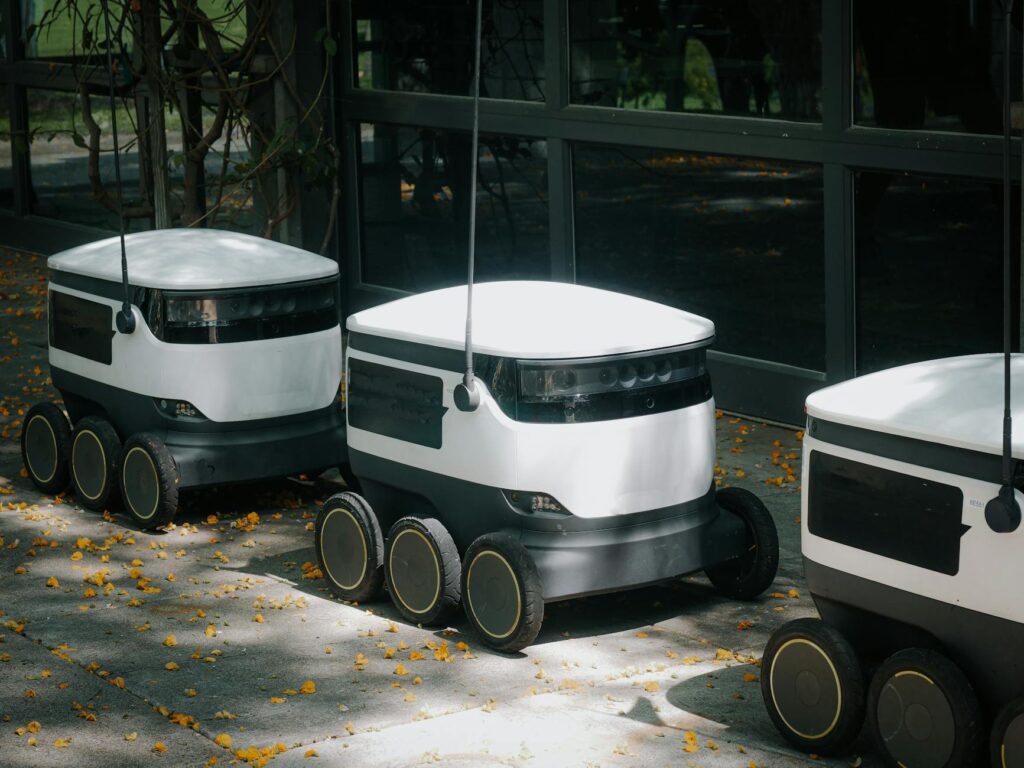
If you are asking "AI sẽ thay thế những ngành nghề nào?" (which jobs will AI replace), the most useful answer in 2026 is this: AI replaces tasks before it replaces entire jobs. Jobs disappear when enough high-volume tasks in that job become cheap, reliable, and low-risk to automate.
As of 2026-03-28 (GMT+7), most companies are not choosing between "AI" and "no AI" anymore. They are choosing between two operating models:
- Teams that redesign workflows around AI and keep humans at decision points.
- Teams that keep old processes and lose on speed, cost, and response time.
This article is for operators, team leads, and founders who need to decide where automation is safe, where it is risky, and what to implement in the next 90 days.
What happened
1) The market moved from experimentation to workflow redesign
In 2023 and 2024, many teams used chatbots for drafts and ad-hoc support. In 2025 and early 2026, leading teams moved to end-to-end automation chains: intake -> classify -> retrieve knowledge -> generate output -> approve -> execute in business systems.
The technology shift is important:
- Better multimodal models handle text, images, documents, and voice in one pipeline.
- Retrieval systems (RAG) became easier to deploy inside business apps.
- Agent frameworks matured enough for narrow, bounded workflows.
- AI quality controls (evaluation sets, guardrails, approval queues) became more operational.
This changes the replacement question from "Can AI do this task once?" to "Can AI do this task at scale with acceptable risk?"
2) Exposure is broad, but impact is uneven by task type
Major labor and policy institutions now agree that AI exposure is widespread. IMF has estimated that around 40% of jobs globally are exposed to AI in some form, with higher exposure in advanced economies. But exposure is not equal to elimination.
In practice, the first wave hits work that is:
- Digital by default
n- Rule-based or pattern-heavy
- High volume and repetitive
- Tolerant to small error (or easily reviewed)
- Already measured in SLAs, templates, or scripts
That is why roles such as tier-1 support, data processing, basic content operations, and standardized reporting are changing fastest.
3) The real disruption is role redesign, not just layoffs
The common outcome is fewer pure execution roles and more hybrid operator roles:
- Fewer people doing manual copy/paste, ticket triage, and first-pass drafting.
- More people handling exception management, QA, governance, and customer-critical decisions.
- New jobs around AI operations: prompt/system design, knowledge base maintenance, model evaluation, and AI compliance.
So yes, AI does replace some jobs. But across many sectors, the bigger effect is that job descriptions get split into:
- Tasks that are fully automated
- Tasks that are AI-assisted
- Tasks that remain human-only due to risk, trust, or regulation
Why it matters
1) "Which industry" is the wrong first question
The practical question is: which task clusters inside each role are automatable with acceptable risk.
Two people can share the same job title and still face very different automation outcomes. Example: two accountants. One mostly reconciles and classifies transactions (high automation potential). The other handles complex tax judgment and client advisory (low automation potential).
If you only map by industry, you will either over-automate risky work or miss obvious productivity wins.
2) Cost advantage compounds quickly
AI automation creates compounding advantage in four areas:
- Cycle time: faster response and turnaround.
- Unit economics: lower cost per ticket/report/proposal.
- Throughput: same team handles more demand.
- Consistency: fewer process deviations when workflows are standardized.
Teams that adopt early usually reinvest gains into better service quality and faster iteration. Teams that delay face margin pressure and slower customer response.
3) Architecture choices decide whether AI helps or hurts
Most AI failures are not "model failures." They are system design failures.
Key choices:
#### Copilot vs Autopilot
- Copilot: AI suggests; human approves. Safer, slower, good for high-risk workflows.
- Autopilot: AI executes with minimal human intervention. Faster, but requires strict scope and controls.
A good pattern is to start with copilot in critical workflows, then graduate narrow sub-tasks to autopilot once error rates are stable.
#### Single model vs routed model stack
- Single model: simpler operations, faster deployment.
- Routed stack: route tasks to specialized models/tools (classification, extraction, generation, code, OCR). Better accuracy and cost control, more engineering overhead.
If your workload is diverse (emails, PDFs, CRM updates, proposals), a routed approach usually performs better after initial setup.
#### RAG vs fine-tuning
- RAG: pulls current internal knowledge at runtime. Easier to update and audit.
- Fine-tuning: bakes behavior into model weights. Useful for style or narrow patterns, harder to keep current.
For most operators in 2026, RAG-first is the safer default for business knowledge workflows.
4) Risks are operational, legal, and reputational
Main implementation risks:
- Hallucinations in customer-facing outputs.
- Silent failures (wrong but fluent responses).
- Data leakage through unmanaged tools.
- Compliance breaches (privacy, sector regulation, IP misuse).
- Vendor lock-in and cost volatility.
- Workforce resistance when goals are unclear.
Without controls, AI can increase speed and increase mistakes at the same time.
What to do next
1) Build a task inventory (not a title inventory)
Map each role into 15-30 repeatable tasks. For each task, score:
- Frequency (daily/weekly/monthly)
- Standardization (low/high)
- Error tolerance (low/high)
- Business criticality (low/high)
- Data sensitivity (low/high)
This gives you an automation heatmap. Start where frequency is high, standardization is high, and error tolerance is medium or better.
2) Use a 3-lane execution model
For each task, assign one lane:
- Human-only: strategic judgment, negotiation, high-stakes approvals.
- AI-assisted: draft, summarize, classify, then human sign-off.
- AI-automated: bounded rules, known data sources, clear rollback.
This avoids two common errors: over-automating risky tasks and under-automating obvious repetitive work.
3) Design the automation architecture before scaling
Minimum architecture for reliable deployment:
- Input layer: email/forms/CRM/tickets/docs.
- Orchestration layer: workflow engine with routing logic.
- Knowledge layer: versioned RAG index over approved documents.
- Decision layer: model calls plus deterministic rules.
- Control layer: confidence thresholds, human approval queues.
- Audit layer: logs, prompt/output traces, incident tagging.
If you skip orchestration and controls, pilots look good but production fails.
4) Set acceptance gates and rollback rules
Before any production rollout, define:
- Quality gate: pass/fail on a fixed test set.
- Risk gate: prohibited actions and data boundaries.
- Escalation gate: what triggers human takeover.
- Rollback gate: exact conditions to disable automation.
Treat AI workflow launch like software release, not like a one-off tool purchase.
5) Redesign roles and incentives
Do not just "add AI" to existing KPIs. Update roles:
- Operators become exception managers.
- Senior staff own policy and QA.
- Team leads own automation coverage and incident rates.
Link incentives to quality + throughput, not throughput alone.
Practical examples
Scenario 1: SMB e-commerce team automates tier-1 customer support
Context: A small online store has repetitive questions (shipping, returns, order status, size guide). Response delays hurt conversion and repeat purchase.
Implementation steps:
- Export 3-6 months of support tickets and cluster by intent.
- Build a knowledge base from approved policies and FAQs.
- Deploy AI triage + draft replies for top intents.
- Keep human approval for refunds and complaint escalation.
- Connect AI to order-status API for deterministic answers.
- Track deflection rate, first-response time, and escalation accuracy weekly.
What gets replaced: Manual first-pass triage and repetitive FAQ replies.
What stays human: Exceptions, angry customers, policy exceptions, fraud signals.
Risk to manage: Hallucinated policy answers. Mitigation: retrieval-only mode for policy responses and strict "I don't know" fallback.
Scenario 2: Digital agency automates content operations, not strategy
Context: A marketing agency spends too much time on briefs, drafts, repurposing, and reporting. Margins are shrinking.
Implementation steps:
- Standardize client intake forms and brand voice rules.
- Use AI to generate first drafts for ads, social posts, and email variants.
- Add an editorial QA checklist (claims, tone, compliance, source links).
- Automate weekly performance report drafts from analytics exports.
- Keep strategist review for positioning, offer design, and channel mix decisions.
- Create a prompt library and version control it like code.
What gets replaced: Manual repurposing, repetitive draft generation, report formatting.
What stays human: Campaign strategy, creative direction, client alignment calls.
Risk to manage: Brand drift and factual errors. Mitigation: style guide constraints + mandatory citation check for claims.
Scenario 3: B2B sales team automates prospecting operations
Context: SDRs lose time on account research, list cleaning, first outreach drafts, and CRM updates.
Implementation steps:
- Define ideal customer profile and disqualification rules.
- Use AI enrichment to summarize account signals from approved data sources.
- Auto-generate personalized first-touch emails with strict templates.
- Run human approval for high-value accounts before send.
- Auto-log call notes and next steps into CRM after meetings.
- Review weekly: reply quality, meeting conversion, and false personalization rate.
What gets replaced: Low-value manual research, template rewriting, CRM admin.
What stays human: Discovery calls, objection handling, deal strategy, pricing negotiation.
Risk to manage: Over-automation that sounds generic or inaccurate. Mitigation: quality sampling and hard limits on automated send volume during ramp.
Scenario 4: Back-office finance ops in a mid-size company
Context: AP/AR teams process invoices and reconciliation with recurring delays.
Implementation steps:
- Deploy OCR + document extraction for invoices.
- Match line items against PO and vendor master data.
- Auto-route exceptions above threshold to finance approvers.
- Generate month-end variance commentary drafts.
- Keep final sign-off with finance manager.
- Monitor exception trends to refine rules and prompts.
What gets replaced: Manual data entry and first-pass matching.
What stays human: Exception judgment, policy interpretation, final approvals.
Risk to manage: Misclassification and duplicate payments. Mitigation: deterministic checks before payment release.
FAQ
Q1) Which jobs are most likely to be replaced first?
Roles with high-volume, repetitive, text-heavy, rule-based tasks are first: tier-1 support, data processing, basic reporting, routine content production, and administrative coordination.
Q2) Will AI replace salespeople, marketers, and accountants entirely?
Usually no, not entirely in the near term. AI removes repetitive execution and increases expected output per person. Human work shifts to judgment, relationship management, and exception handling.
Q3) Should we start with a chatbot or with process automation?
Start with process automation on one narrow workflow where ROI is measurable. A chatbot without workflow integration often looks good in demos but does not change operating metrics.
Q4) How do we avoid legal and compliance issues?
Set data boundaries, approved knowledge sources, audit logs, and human approval for regulated actions. Align deployment with your legal/privacy team before production rollout.
Q5) How fast should a company automate?
Fast enough to learn every month, slow enough to control risk. A practical pace is 1-2 production workflows per quarter with clear quality gates and rollback plans.
References
- International Monetary Fund (IMF) – Gen-AI: Artificial Intelligence and the Future of Work
- International Labour Organization (ILO) – Generative AI and Jobs: A Global Analysis of Potential Effects on Job Quantity and Quality
- McKinsey Global Institute – Generative AI and the Future of Work in America
https://www.mckinsey.com/mgi/our-research/generative-ai-and-the-future-of-work-in-america
- OECD – OECD Employment Outlook
https://www.oecd.org/employment-outlook/
- World Economic Forum – The Future of Jobs Report 2023
https://www.weforum.org/publications/the-future-of-jobs-report-2023/
- NIST – AI Risk Management Framework (AI RMF 1.0)
https://www.nist.gov/itl/ai-risk-management-framework
- Stanford HAI – AI Index Report